
Target curve
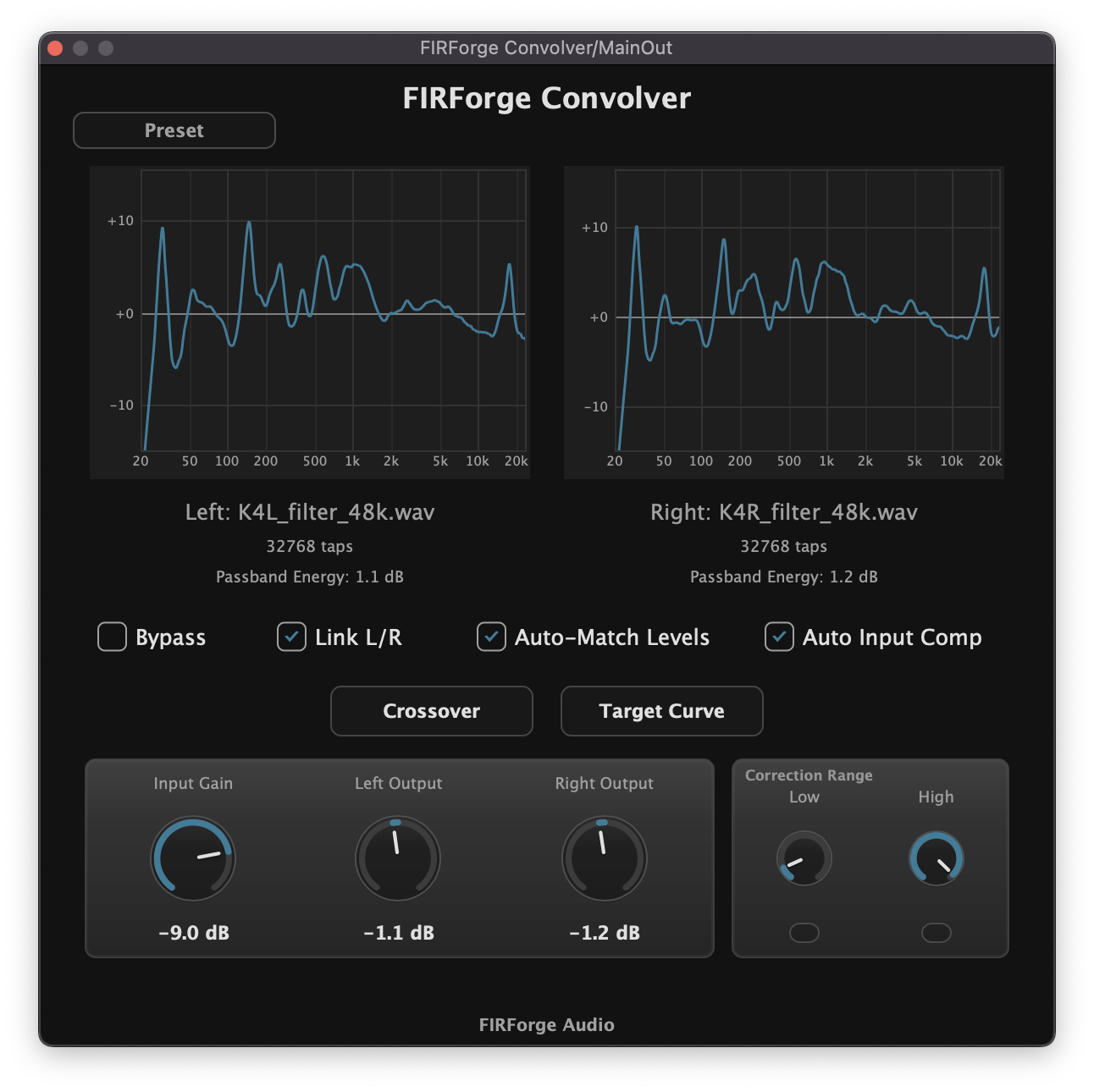
Fine-tune the tonal balance after correction without rebuilding the FIR export.
- Target curve shaping inside the convolver
- Useful for PA voicing and monitor translation
- Preset save/recall for repeatable setups
FIR correction for PA systems and studio monitors. Measure multi-position response, create spatially averaged minimum-phase FIR correction, and apply it through a zero-added-delay AU/VST3 convolver.
Live tested
Measured over the SoundGrid routing baseline at 48 kHz / 16 buffer.
0 samples is FIRForge Convolver's own processing delay. Host path and conversion latency come from the surrounding rig.
Workflow
A complete FIR workflow from spatial measurement to bounded minimum-phase correction and zero-added-delay convolution.
01
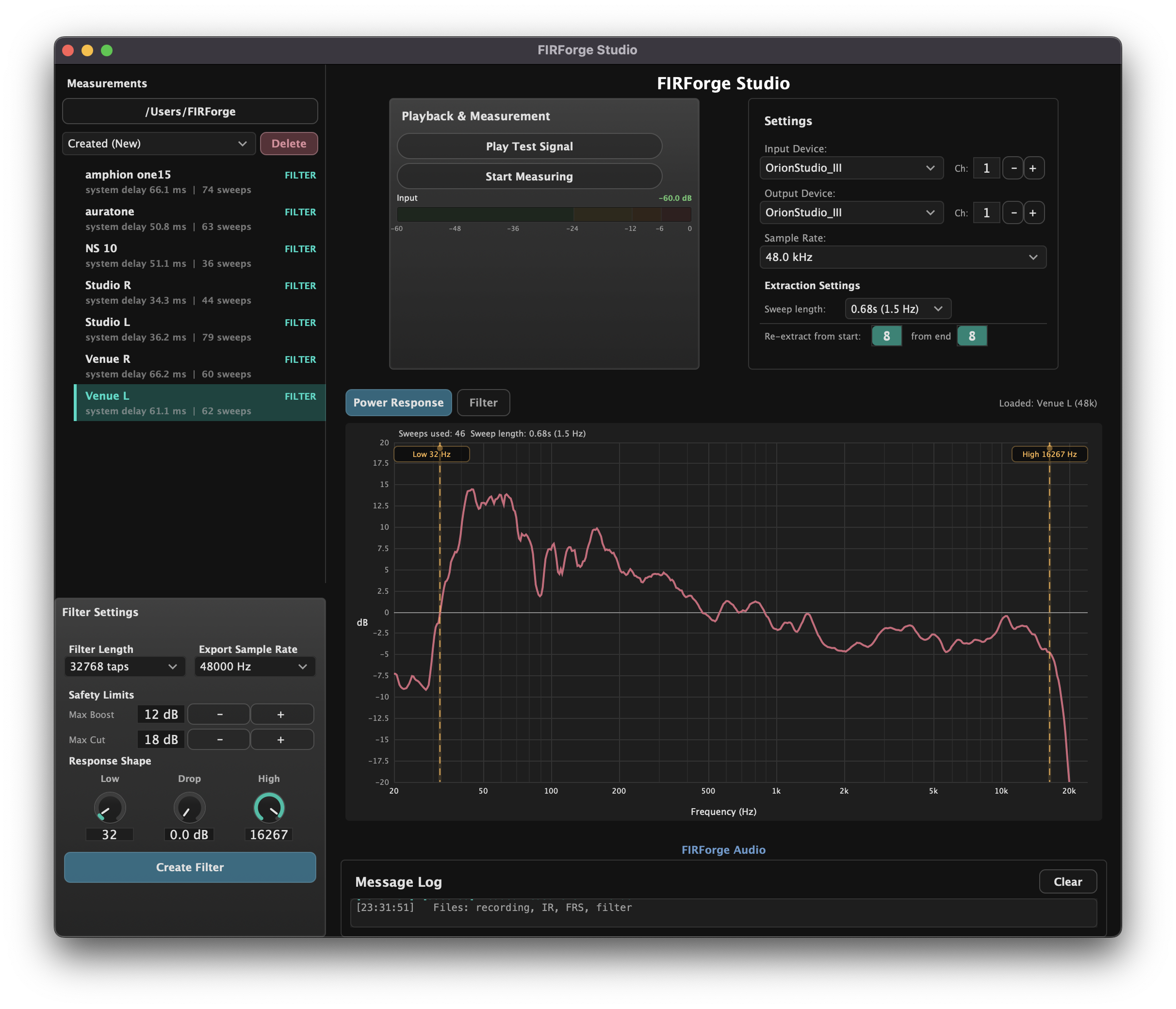
FIRForge Studio is built around moving-mic continuous sweep measurement, so you can capture a useful spatial average without turning setup into a lab.
02
Minimum-phase FIR correction is generated from the measured power response, with correction range and safety controls kept visible before export.

03
FIRForge Convolver loads the correction in AU/VST3 hosts and keeps show-critical controls close: bypass, gain compensation, L/R balance, crossover, target curve, and preset recall.
Convolver tools
Once the FIR is loaded, FIRForge Convolver keeps the practical finishing controls in the host: tonal shaping, crossover cuts, polarity, delay, bypass, and recall.
Fine-tune the tonal balance after correction without rebuilding the FIR export.
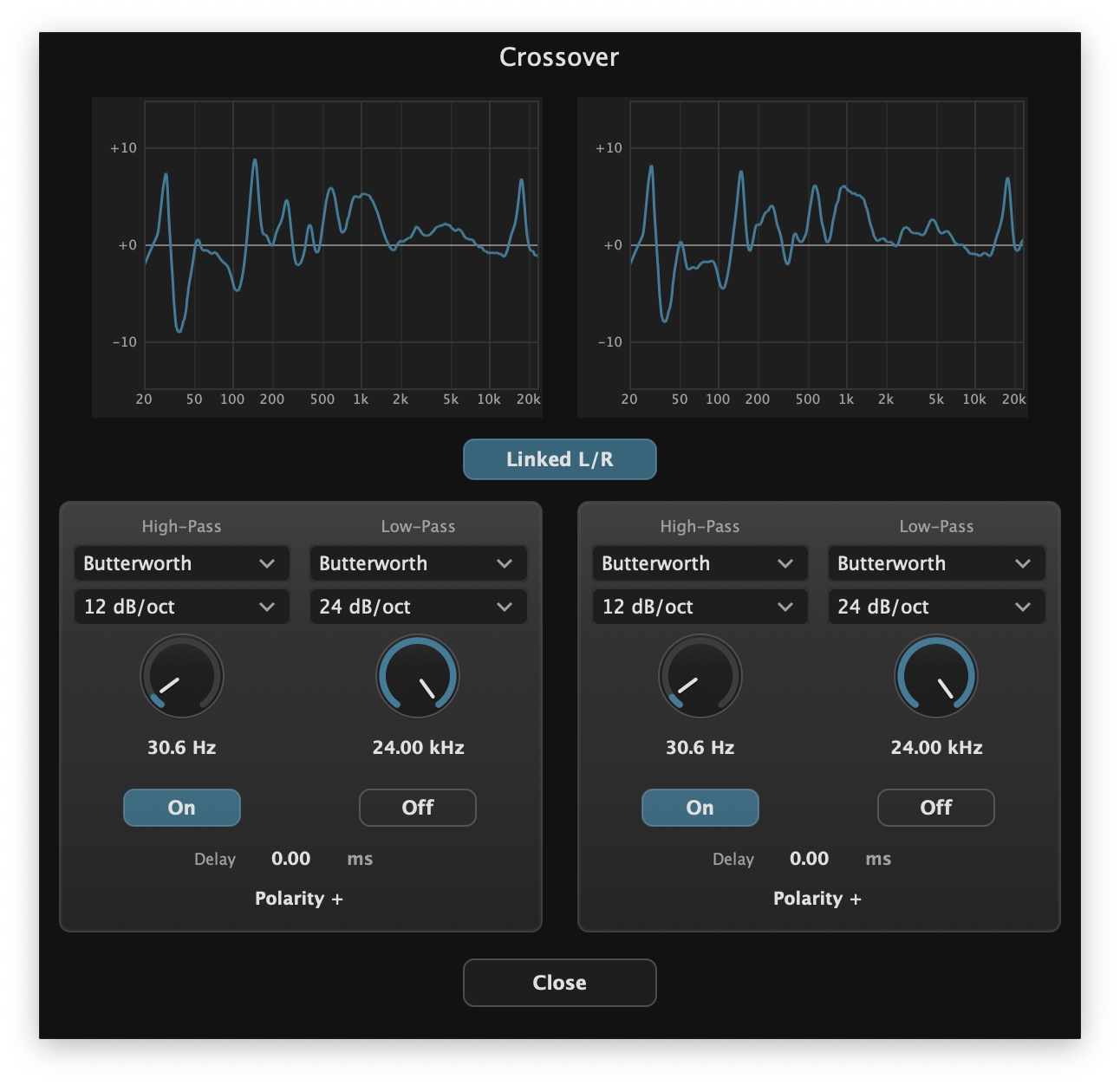
Use built-in cuts and alignment controls when your setup needs it.
Measured proof
FIRForge Convolver keeps its own processing delay at zero samples. The numbers below separate that from measured host/routing paths and hardware conversion layers.
System latency depends on interface, routing, host, buffer size, sample rate, driver behavior, and hardware. Measure your own rig before critical use.
Pricing
A 14-day trial for engineers who need to test FIRForge on their own interface, host, routing, and monitor or PA system before buying.
Windows is planned, but no release date is promised.
FIR correction for PA systems and studio monitors
FAQ
Both. FIRForge is live-first for PA systems, fills, subs, tops, touring rigs, and venue systems, but the same workflow also applies to studio monitors. The goal is a more familiar tonal balance from system to system, so you are not rebuilding your mix perspective from scratch every night.
No. Internet is required only for trial activation or full activation. After activation, FIRForge runs locally from a signed license file.
No. FIRForge is not a full measurement suite. It is built for a fast correction workflow: capture a practical spatial average, create a bounded minimum-phase FIR filter, and deploy it quickly.
It will not fix broken speakers, poor speaker placement, coverage problems, bad gain structure, or an alignment problem that should be solved physically. FIRForge is for measured tonal correction after the system fundamentals are handled.